Kenting K5540 Drawing Tablet USB Graphic Tablet 5.5 x 4 inches Pen Tablet Board Kit Glove 6.7 inches OSU Tablet and Pen for Kids 4096 Levels Pressure Windows Mac Laptop Computer (Black + Case)
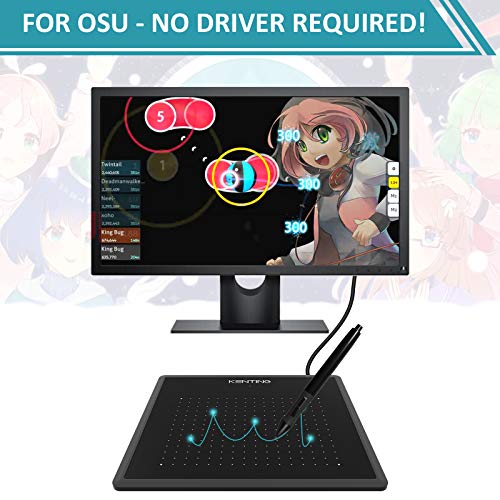
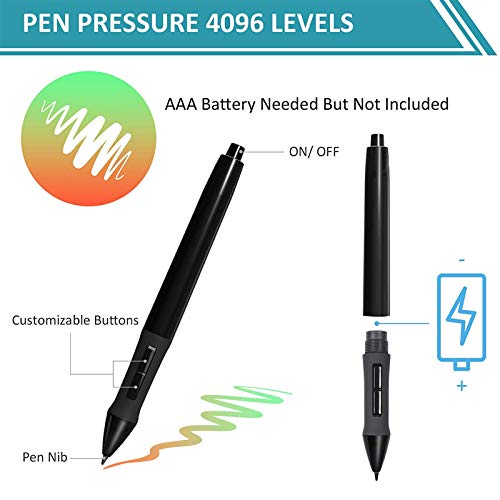
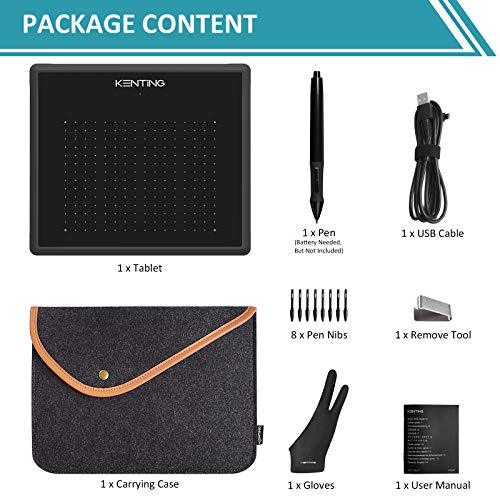
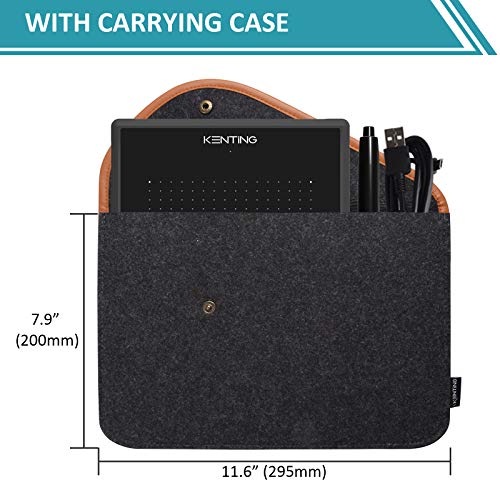
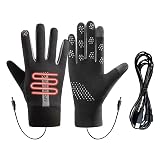
Specification:\r\nBrand: Kenting\r\nTechnology: Electromagnetic Digitizer\r\nActive Area: 137 x 99mm (5.4 x 3.9in)\r\nResolution: 4000 LPI (Line Per Inch)\r\nReport Rate: 200RPS\r\nPen Pressure: 4096 Levels\r\nReading Height: 0.4\" (10mm)\r\nInterface Support: USB\r\nUSB Cable Length: 1.5M\r\nTablet Dimensions: 203 x 176 x 8mm (8.0 x 6.9 x 0.3in)\r\nCase Dimensions: 295 x 200mm (11.6 x 7.9in)\r\nOS Supported: Windows Win7/ 8/ 10/ Mac OS 10.8 or above\r\nPlease note that you need to add the driver to whitelist on Mac OS 10.14 or 10.15\r\n\r\nFeatures:\r\n-Carrying Case\r\nCame with a carrying case which you can put the drawing pad, pen and USB cable in one case and very portable. It also can protect your tablet during your trip.\r\n\r\n-Comfortable Design-Beveled Corners\r\nThe beveled corners make it comfortable to rest your hand on. And Kenting K5540 digital graphics tablet is good for both right-handed and left-handed people.\r\n\r\n-4096 Levels Pressure Sensitivity\r\nHigher pressure sensitivity, upgrade to 4096 Levels. Allowing you to modify, navigate and create with a full pallet of brush and pens, feels like a real pen.\r\n\r\n-5.4 x 3.9in Larger Working Area\r\nKenting K5540 drawing tablet is 170% larger than other 4 x 3\" tablets. It will be easier to draw or sketch on this tablet. It applicable to illustration, image editing, handwriting, gaming.\r\n\r\nPackage contents:\r\n1x Kenting K5540 Graphic Tablet\r\n1x Digital Pen (AAA Battery Needed, But Not Included)\r\n1x USB Cable\r\n8x Spare Nibs for Replacement\r\n1x Remove Tool\r\n1x User Manual\r\n1x Two Finger Gloves\r\n1x Cleaning Cloth\r\n1x Case
A budget-friendly drawing tablet that requires some initial setup and adjustment for optimal use.
What Shoppers Love
Good for Beginners
Many users found it easy to start using for basic photo editing tasks.
Portable Carrying Case
The included case makes it convenient for travel and storage.
Decent Build Quality
Reviewers noted that the tablet has a solid construction for its price.
Common Concerns
Initial Setup Required
Some users mentioned needing to download drivers and configure settings before use.
Learning Curve
A few reviewers found it challenging to adjust to drawing on the tablet while looking at the screen.
Best For
Ideal for beginners or casual users looking for an affordable drawing tablet.
Who Should Skip
No clear mismatch - product suits its described audience.
The Full Readout
The Kenting K5540 drawing tablet presents a budget-friendly option for those interested in digital art or photo editing. Many users appreciate its compact size and portability, making it a suitable choice for beginners or casual artists. The included carrying case adds to its convenience, allowing for easy transport and protection during travel. However, some shoppers noted that the tablet's smaller dimensions might not meet everyone's needs, particularly for more extensive projects.
In terms of functionality, the tablet operates effectively once set up, with a pressure sensitivity of 4096 levels that enhances the drawing experience. However, several users pointed out that the initial setup can be cumbersome, requiring driver downloads and adjustments. Additionally, the experience of drawing on the tablet while looking at the computer screen can take some getting used to, which may be a hurdle for those accustomed to touchscreen devices.
Overall, the Kenting K5540 offers good value for its price, particularly for those just starting in digital art. While it has some limitations, such as the need for setup and a learning curve, many users find it satisfactory for basic tasks. Those who are patient with the setup process and willing to adapt to the drawing style will likely appreciate this tablet as a practical entry-level tool.
This Juicy AI Review is an AI-generated editorial summary of 4 real customer reviews on Juicer.Deals. It is commentary, not a product endorsement or a review by any specific user. Opinions summarized here reflect the reviewers, not Juicer.Deals.
This was purchased as a gift for my daughter and it didnt take long before she got the hang of it.
It could do with being a bit bigger but its good for her to practise, the buil...
I am not very good with all the technical talk so I will be very simple here with my description:)
I needed something cheap to start working on my laptop with photos and I needed...
This does take a little while to set up. I had to download drivers for it to work properly. But once done it works OK. It is a little bit strange to use, as you cannot see what you...
I am not very good with all the technical talk so I will be very simple here with my description:)
I needed something cheap to start working on my laptop with photos and I needed...